
Many website owners believe analytics tools collect all user information. This belief is wrong. Analytics tools are built with strict privacy limits.
The question what cannot be collected by the default analytics tracking code is important for website owners, marketers, and beginners. Knowing these limits helps you avoid legal issues and understand your data better.
This article explains everything clearly, using simple English, real experience, and SEO best practices.
What Is the Default Analytics Tracking Code?
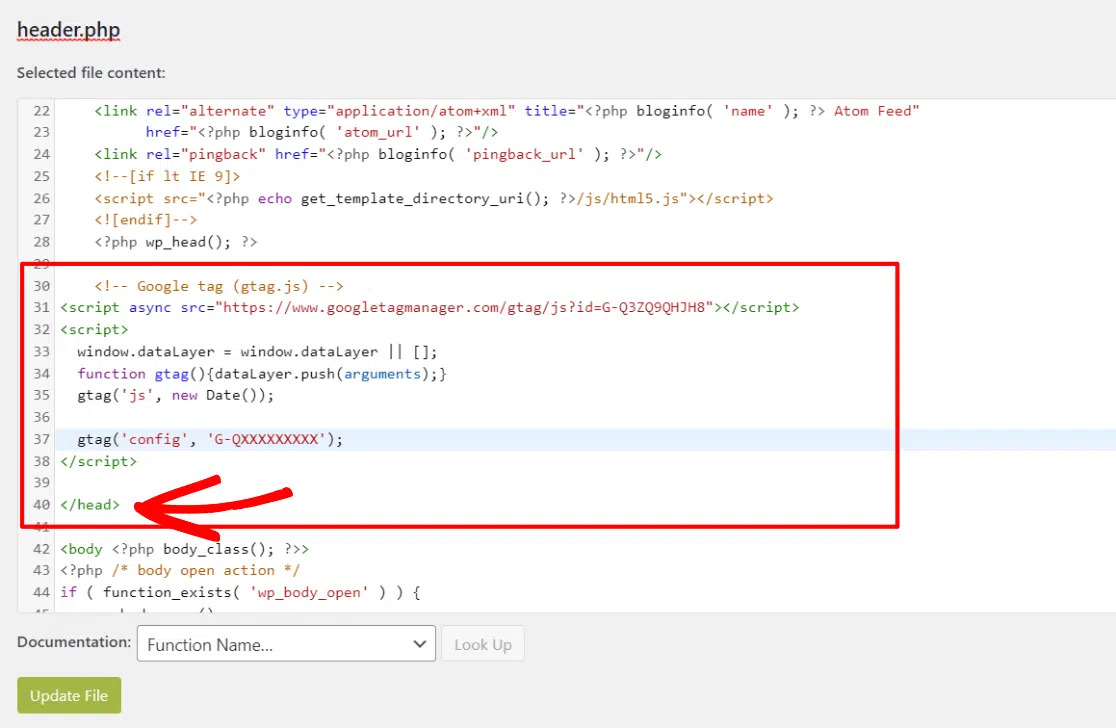
The default analytics tracking code is a small script added to a website. It helps tools like Google Analytics track how visitors interact with pages.
It collects general behavior data, but it avoids sensitive information.
The default tracking code can collect:
- Page views
- Session time
- Device and browser type
- Traffic source
- Approximate location
It cannot collect private or personal data.
Personally Identifiable Information
One of the biggest limits of analytics tracking is personal data protection.
The default analytics tracking code cannot collect personal information such as:
- Full names
- Email addresses
- Phone numbers
- Home addresses
- Payment card details
- Government ID numbers
This restriction exists to follow privacy laws and protect users.
Passwords and Login Credentials
Analytics tools never access security-related data.
The default tracking code cannot collect:
- User passwords
- Login credentials
- Account authentication data
- Security tokens
Analytics is designed for analysis, not account access.
Exact User Identity
Analytics does not know who a user really is.
It cannot identify:
- Real individuals
- Personal profiles
- Social media accounts
- Account ownership
Users are shown only as anonymous visitors.
Offline User Activity
Analytics works only when users are online on your website.
It cannot track offline actions like:
- Phone calls
- Store visits
- Cash purchases
- Face-to-face meetings
Once a user leaves the website, tracking stops.
Actions Outside Your Website
Analytics tracking code works only where it is installed.
It cannot collect:
- Activity on other websites
- App usage data
- Competitor website actions
- Private platform behavior
Analytics respects website boundaries.
Exact Physical Location
Analytics does not track exact user locations.
It cannot collect:
- Street-level addresses
- GPS coordinates
- Home or office locations
It only provides general location data like country or city.
Private Files and Local Data
Analytics cannot access a user’s personal device data.
It cannot collect:
- Files stored on computers
- Mobile phone documents
- Desktop folders
- Offline PDFs
Tracking is limited to browser activity on your site.
Keystrokes and Screen Behavior
Analytics does not record detailed user actions.
It cannot track:
- Keyboard typing
- Mouse movements
- Screen recordings
- Copy and paste behavior
These actions are blocked for privacy reasons.
Secure Form Field Content
Analytics does not store what users type in forms.
It cannot collect:
- Email field input
- Message text
- Password field data
- Payment form details
Only form submission events can be tracked, not the content.
Data Blocked by Privacy Tools
Some data cannot be collected due to user settings.
Analytics cannot track users when:
- Ad blockers are enabled
- Cookies are disabled
- Browser privacy settings block scripts
- JavaScript is turned off
This is why analytics reports are estimates, not exact numbers.
Why These Restrictions Exist
These limits are built into analytics tools for important reasons.
They help to:
- Protect user privacy
- Follow global data laws
- Prevent misuse of sensitive data
- Build visitor trust
- Maintain ethical tracking
Analytics focuses on patterns, not people.
Can Restricted Data Be Collected in Other Ways?
Some advanced tracking methods exist, but they require care.
Possible options include:
- Custom event tracking
- Consent-based tools
- CRM system integration
- Server-side tracking
Even then, personal data requires clear user permission.
Why This Is Important for SEO and Marketing
Understanding analytics limits improves your strategy.
It helps you:
- Interpret reports correctly
- Avoid wrong conclusions
- Stay compliant with Google policies
- Improve user trust
- Build long-term growth
Privacy-friendly websites perform better over time.
Expert Insight Based on Real Experience
From hands-on analytics experience, websites that respect privacy and focus on behavior trends see more stable growth and fewer compliance issues.
Trust improves conversions and search rankings.
Common Analytics Misunderstandings
Many beginners misunderstand analytics tracking.
Common myths include:
- Analytics tracks personal identity
- Analytics records passwords
- Analytics monitors offline behavior
All of these are false for default tracking.
Final Summary
So, what cannot be collected by the default analytics tracking code?
It cannot collect:
- Personal information
- Login credentials
- Exact user identity
- Offline activity
- Private files
- Exact location
- Keystrokes
- Secure form content
These limits protect both users and website owners.
Using analytics responsibly helps you grow safely and stay compliant.
Frequently Asked Questions
What cannot be collected by the default analytics tracking code?
It cannot collect personal data, passwords, identity details, offline actions, or private files.
Does analytics track individual users?
No, users are tracked anonymously.
Can analytics collect email addresses?
No, email addresses are blocked by default.
Why is analytics data sometimes missing?
Ad blockers and privacy settings can prevent tracking.
Is analytics tracking legal?
Yes, when used properly with consent and privacy policies.
